
We are reader supported. When you purchase through links on our site, we may earn an affiliate commission. Also, as an Amazon affiliate, we earn from qualifying purchases.
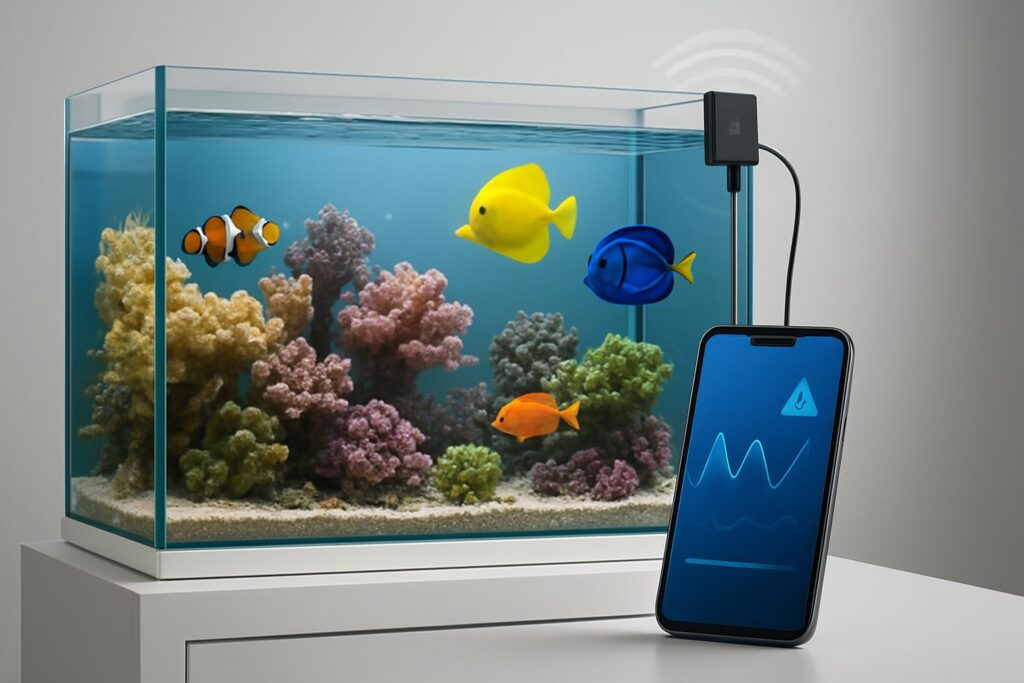
WiFi aquarium monitors have moved from nice to have to essential. They give you live parameters on your phone, push instant alerts, and log trends that the eye misses. For 2026, the best picks solve real risks like heater failure, ammonia spikes, and pH swings, while staying simple enough for beginners. This guide ranks three proven options and explains where each one fits. Read on, set smarter alerts, and stop guessing.
What a WiFi monitor must do in 2026
A good monitor is not only a sensor. It links stable hardware, clear mobile alerts, and usable history. The basics still decide outcomes.
Core must haves: reliable probe hardware, fast push alerts, readable graphs, and calibration tools. Extra points for power outage warnings, cloud backup, and expansion paths.
Setup basics that matter: place probes in high flow, calibrate before use, set conservative alert limits, and test each alert the day you install it. A 10 minute drill here prevents bad nights later.
Top 3 Aquarium WiFi Monitors for 2026
Inkbird ITC-306A WiFi Aquarium Temperature Controller
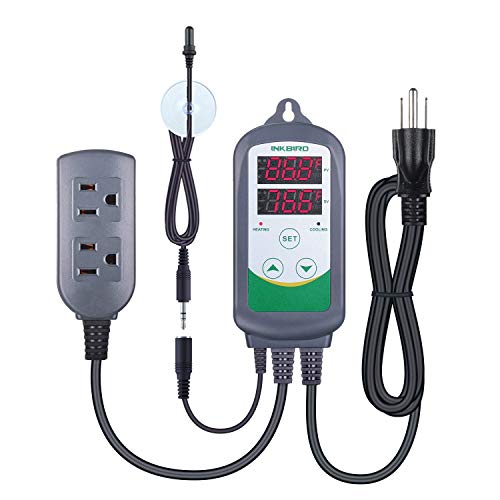
Inkbird ITC308S Temperature Controller for Aquarium with Submersible Probe, Heating Cooling Outlets Thermostat for Heater and Cooling Fans
View on AmazonThe most common failures in home tanks still start with heat. The Inkbird ITC-306A WiFi tackles that single point of failure with a simple, durable package that both monitors and controls your heater. You get a waterproof probe, dual outlets for heater redundancy, and app alerts when temperatures drift. It is fast to set up and easy to live with.
What stands out: dual relay control, tight hysteresis, and quick push notifications via the Inkbird app. It learns your swing and keeps the window narrow, which reduces stress for fish and corals.
Key sensors and alerts: water temperature with high and low alerts, audible alarm on the unit, mobile push alerts. Manual calibration lets you match it to a trusted thermometer.
Setup tips: mount the probe in strong flow near your return, set a small control differential, and enable both high and low alerts on day one. If you run two heaters, split load across the two controlled outlets to avoid overcurrent on one device.
Why it helps: temperature stability is the cheapest insurance in this hobby. This unit closes the loop and not only tells you there is a problem but also acts on it right away.
Best for: beginners to advanced users who want rock solid temperature control and simple WiFi alerts without paying for a full controller.
Potential downsides: monitors temperature only, app uses 2.4 GHz WiFi, and there is no built in battery backup. The housing is larger than a basic smart plug, so plan space on the power strip.
Seneye Reef Monitor with SWS WiFi module

SENEYE Reef Aquarium Monitor and Par Meter
View on AmazonIf you keep a reef or sensitive stock, early detection of water chemistry shifts is the edge you need. Seneye Reef tracks free ammonia, pH, temperature, and light intensity including PAR and spectrum cues, then logs to the cloud when paired with the Seneye Web Server SWS for WiFi. It is a true monitor that looks beyond temperature.
What stands out: continuous free ammonia tracking and pH trend logging, plus light monitoring for coral placement. The system graphs everything so you can spot patterns before they break livestock.
Key sensors and alerts: free ammonia NH3, pH, temperature, light and PAR, water level. Cloud alerts warn you about spikes and swings with thresholds you set.
Setup tips: hydrate the Seneye slide for the required time, mount the probe in high flow and out of direct bubbles, connect the SWS to your network, then run the first week as a baseline before tightening alerts. Replace the slide on schedule for stable ammonia and pH tracking.
Why it helps: ammonia and pH are the fastest killers after heat. This unit surfaces those risks in real time and adds coral light data you can use for placement and photoperiod tuning.
Best for: reef keepers and breeders who want chemistry alerts and light metrics without stepping up to a full controller.
Potential downsides: recurring slide cost, more setup steps than a basic thermometer, and pH is trend oriented rather than a certified lab instrument. Plan your monthly routine so slides never lapse.
Neptune Systems Apex A3 Pro Aquarium Controller

Neptune Systems A3 Apex Jr. Aquarium Controller - Temperature, pH, Leak Detection & Level Sensor Monitoring System for Freshwater and Saltwater Aquariums
View on AmazonWhen you want full system awareness and room to grow, Apex A3 Pro leads. It monitors temperature, pH, ORP, and salinity, integrates leak detection, and ties everything into the Fusion cloud with fast alerts. It also controls outlets and accessories, so prevention moves beyond sensing.
What stands out: broad parameter coverage in one hub, robust alerting including power and leak events, and device level control that can shut gear down when readings go out of range.
Key sensors and alerts: temperature, pH, ORP, salinity, optional leak sensors, power monitoring, and cloud push alerts. Graphs help you see daily cycles and long term drift.
Setup tips: calibrate pH and salinity probes before first use, mount leak sensors near the sump and under plumbing unions, set conservative alert bands, and test each emergency rule. Start simple, then layer automations as you learn your tank rhythm.
Why it helps: it unifies monitoring and response. You get early warnings plus smart actions, like turning off a skimmer on overflow or heaters on over temp.
Best for: serious freshwater and reef keepers who want an all in one monitoring backbone that can expand with dosing, auto top off, and automated testing later.
Potential downsides: higher price, more parts to mount, and a learning curve. Probes need routine calibration to stay accurate.
How to pick the right one for your tank
Match risk to tool: for most tanks, stabilizing heat avoids the largest failures, so Inkbird is a smart first step. If you run corals or sensitive species, Seneye adds chemistry and light insight you cannot get from a thermometer. If you want a backbone that handles both monitoring and control, Apex covers the most ground.
Plan alerts you will act on: start with high and low temperature, add ammonia or pH if you use Seneye, and add leak and power loss if you use Apex. Keep alerts simple and test them once a month.
Mind maintenance: clean probes on a schedule, calibrate pH and salinity as directed, and replace Seneye slides on time. Monitoring only works if the inputs stay honest.
Conclusion
In 2026, the best aquarium WiFi monitors do one thing above all else. They buy time. Inkbird ITC-306A WiFi stops heater surprises. Seneye Reef with SWS shows ammonia, pH, and light shifts before livestock pay the price. Neptune Systems Apex A3 Pro turns that data into action and growth. Pick the layer that matches your risk and budget, set alerts on day one, and test them. Your future self will thank you when an app ping saves a tank.
FAQ
Q: Do I really need a WiFi aquarium monitor
A: If you travel, keep sensitive species, or run a reef, a WiFi monitor gives earlier alerts than manual checks and helps prevent heater failure, ammonia spikes, and pH swings.
Q: Which is best for beginners
A: Inkbird ITC-306A WiFi is the easiest start because it focuses on temperature control with simple app alerts and almost no maintenance.
Q: Which option tracks ammonia and light for corals
A: Seneye Reef with the SWS WiFi module tracks free ammonia, pH, temperature, light and PAR, and water level, then graphs and alerts in the cloud.
Q: I want an all in one system that can grow with me
A: Neptune Systems Apex A3 Pro adds WiFi monitoring of temperature, pH, ORP, and salinity, integrates leak detection and power control, and can expand later with add ons.
Q: What alerts should I set on day one
A: Set high and low temperature thresholds, ammonia or pH alerts if using Seneye, and leak and power loss alerts if using Apex, then test each alert during setup.