
We are reader supported. When you purchase through links on our site, we may earn an affiliate commission. Also, as an Amazon affiliate, we earn from qualifying purchases.
Coral look better when you cut surface glare, stabilize your view, and reduce distortion. A good coral viewer does all three, and it makes maintenance and photography easier. If you struggle to judge color accuracy under blue LEDs, check for pests on frags, or capture clean top-down shots, the right tool helps immediately. Below is a clear guide to the best options in 2026 and how to choose one that fits your tank and routine.
How to choose a coral viewer in 2026
Top-down vs magnetic side viewers
There are two main styles. Top-down viewers float on the surface and eliminate ripples so you can look straight down at coral without shimmer or glare. Magnetic side viewers attach to your glass and give magnified, stable side views. Top-down is best for color assessment, aquascape planning, and photography. Magnetic side viewing shines for daily inspection, checking polyp extension, and scanning rockwork without wet hands.
Size and optics
Go larger for wide, immersive views on big tanks, and smaller for tight spaces or frag tanks. Look for optical-grade clear panels that resist haze. Acrylic is common and lightweight. Big lenses gather more light and are forgiving for smartphone shooting. Avoid cheap plastics that scratch fast or distort edges.
Build quality and maintenance
Saltwater is harsh. Choose viewers with solid seams, sturdy flanges, and materials that rinse clean. Keep magnets dry and free of grit. Rinse acrylic with fresh water after each use and dry with a soft microfiber. Avoid household glass cleaners and paper towels. Treat it like a camera lens.
Photo and video use
If you shoot under heavy blue lighting, pair a top-down viewer with a smartphone filter kit to correct color. Turn off surface pumps during filming to keep the water still. Clean the viewing pane and your phone lens before you press record. Small steps compound into sharper images.
The 4 best aquarium coral viewers for 2026
IceCap Coral Viewer (Top-Down)
The IceCap Coral Viewer is a dependable top-down scope available in multiple diameters suited for nano tanks, mixed reefs, and large displays. Its black body blocks stray light and the clear viewing pane flattens surface ripples so you see true coral texture and color. It is simple, rugged, and gets out of the way so you can focus on what matters.
Why it helps: It isolates the surface to cut glare and shimmer. You can assess color balance under your exact lighting and capture accurate photos from above. It is especially useful for checking growth tips on SPS and polyp extension on LPS without color shifts from angle or ripples.
Best for: Reefers who prioritize top-down clarity for aquascape planning, frag inspections, and photography under LED lighting.
Potential downsides: Acrylic can scratch if you wipe with gritty cloths. Larger sizes take more storage space. Always rinse and dry after use to prevent deposits.
Pro tip: Turn off return and powerheads before use. Wipe the lens with RO/DI water and a microfiber just before placing it on the surface for the cleanest image.
Flipper DeepSee Magnetic Viewer (Side View)
The Flipper DeepSee is a magnet-mounted magnifier that glides along your glass for crisp side-on views. It excels at routine inspection, fish health checks, and quick videos without getting your hands wet. You can align it with your phone camera to frame close-ups of polyps, zoas, or clam mantles.
Why it helps: The magnetic mount stabilizes your shot and reduces hand shake, which is critical under blue lighting. You can move it to any spot on the panel and follow fish or scan coral for tissue detail and pests.
Best for: Daily observation, kids or guests who want an up-close look, and tall tanks where top-down access is tricky.
Potential downsides: It does not remove surface glare or ripples like a top-down scope. Algae film can build on the inner lens if you leave it in the tank; remove, rinse, and dry after sessions.
Pro tip: Clean both glass and lens before use. For macro-style shots, rest your phone camera right against the outside lens and adjust distance until focus locks cleanly.
ESHOPPS Coral Viewer (Top-Down)
The ESHOPPS Coral Viewer is a straightforward top-down scope with a comfortable handhold and a clear panel that makes coral inspection fast. It is well suited to frag tanks and display tanks where you want a neutral, ripple-free view for placement decisions and color checks.
Why it helps: It blocks surface agitation and stray reflections so you can read subtle color shifts, see tissue edges, and judge polyp extension with confidence. For new frags, it speeds up placement by showing how light and flow hit the coral from above.
Best for: Hobbyists who need a reliable, simple top-down viewer for frequent coral checks and quick photos.
Potential downsides: As with most acrylic viewers, improper cleaning can cause micro-scratches that haze the image over time. Use soft cloths and fresh water only.
Pro tip: Set white balance on your camera or phone manually before shooting through the viewer to keep colors consistent across sessions.
Polyplab Coral View Lens Kit V2 (Smartphone Filter Add-On)
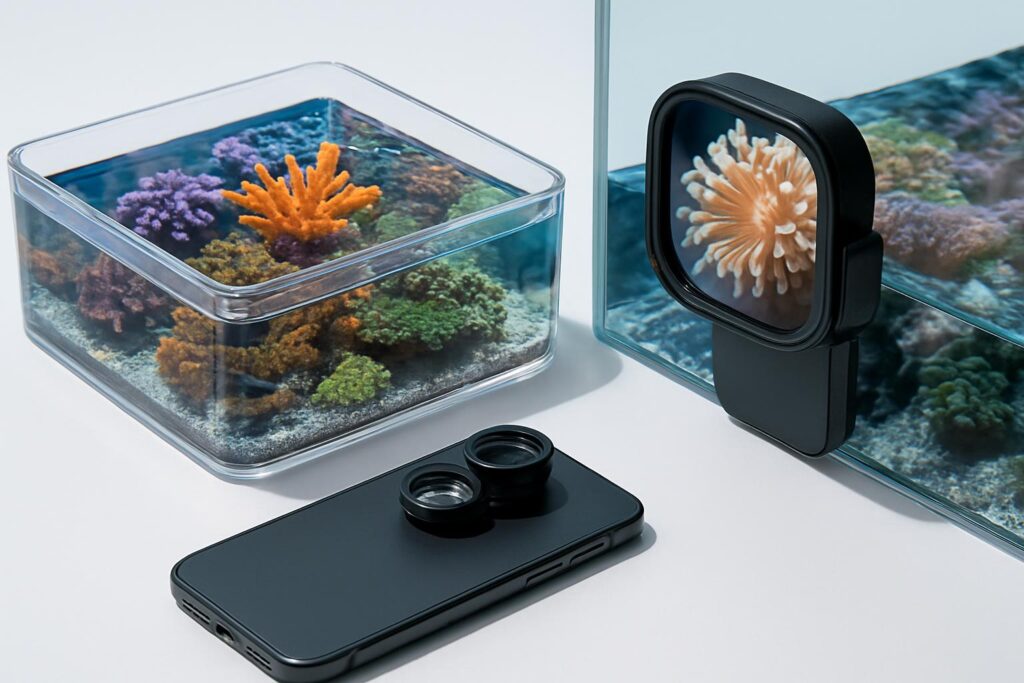
This is not a scope but a powerful accessory for reef photography. The Polyplab Coral View Lens kit clips to your smartphone and uses orange and yellow filters to correct heavy blue LED spectrums. Add the included polarizer to tame glare. Paired with a top-down viewer, it delivers clean, color-accurate shots.
Why it helps: Blue LEDs can wash out reds and warm tones. Filters rebalance colors so your photos look like what your eyes see. When combined with a top-down viewer, you remove both glare and color shift in one move.
Best for: Reefers who regularly shoot photos or video for logs, sales, or social updates and want a compact setup that works with most phones.
Potential downsides: Filters do not stop surface ripples on their own. For best results, pause flow and use a top-down scope when possible.
Pro tip: Clean your phone lens and the filter glass before use. Lock exposure and focus on the coral, not on the viewer’s edge, to avoid hunting during video.
Setup and care tips
Dial in your lighting and flow
Turn off return pumps and wavemakers for a few minutes when using top-down scopes. Set your lights to the spectrum you normally run. If you shoot photos, keep settings consistent across sessions so growth and color progression are comparable.
Clean handling
Rinse viewers with fresh water after each use. Dry with a soft microfiber. Avoid paper towels and abrasive pads. Keep magnets and sealing edges free of sand. Store viewers in a dust-free spot away from direct sun to prevent warping or yellowing.
Combine tools for best results
Use a top-down viewer plus a smartphone filter kit for natural colors, or a magnetic side viewer for fast daily checks. Swap approaches based on your goal: placement and color accuracy from above, quick inspections from the side.
Conclusion
In 2026, the best coral viewer is the one that fits your tank and habits. The IceCap and ESHOPPS top-down viewers give ripple-free color accuracy for planning and photography. The Flipper DeepSee magnetic viewer excels for fast, stable side inspections and casual close-ups. The Polyplab filter kit finishes the job by correcting color under blue LEDs. Pick the style you will use most, keep it clean, and your reef will be easier to assess and enjoy every day.
FAQ
Q: Do I need a top-down viewer or a magnetic side viewer?
A: Choose top-down for ripple-free color accuracy and photography, and magnetic side viewing for quick daily inspections and stable close-ups without wet hands.
Q: Should I turn off pumps when using a top-down viewer?
A: Yes, pause return and powerheads to stop ripples so the viewer can deliver a clear, shimmer-free image.
Q: Can a smartphone filter kit replace a top-down viewer?
A: No, filters correct color under blue LEDs but do not remove surface ripples; pairing filters with a top-down scope gives the best results.
Q: How do I prevent scratches on acrylic viewers?
A: Rinse with fresh water after use and dry with a soft microfiber; avoid paper towels and abrasive pads.
Q: What is the quickest way to get sharp coral photos?
A: Clean the viewer and phone lens, turn off flow, use a top-down scope, and add a smartphone filter kit to correct color.