
We are reader supported. When you purchase through links on our site, we may earn an affiliate commission. Also, as an Amazon affiliate, we earn from qualifying purchases.
Power strips look simple, but for an aquarium they do far more than add outlets. They organize life-support gear, reduce clutter, protect against surges, and let you control lights, pumps, and heaters with precision. Choose well and your tank runs safer and cleaner. Choose poorly and you risk tripped breakers, salt creep damage, or a late‑night emergency. This guide walks you through what matters, then reviews five proven power strips aquarists trust for both freshwater and reef systems. Each pick focuses on reliability, safety, and practical control that makes daily care easier.
Why your aquarium needs the right power strip
Equipment stacks up fast
Even a modest setup needs a heater, return pump, lights, wavemakers, auto top-off, skimmer, filter, and sometimes dosing pumps. A solid power strip keeps this organized, labeled, and reachable so you control what you need without unplugging blindly.
Water and electricity do not forgive mistakes
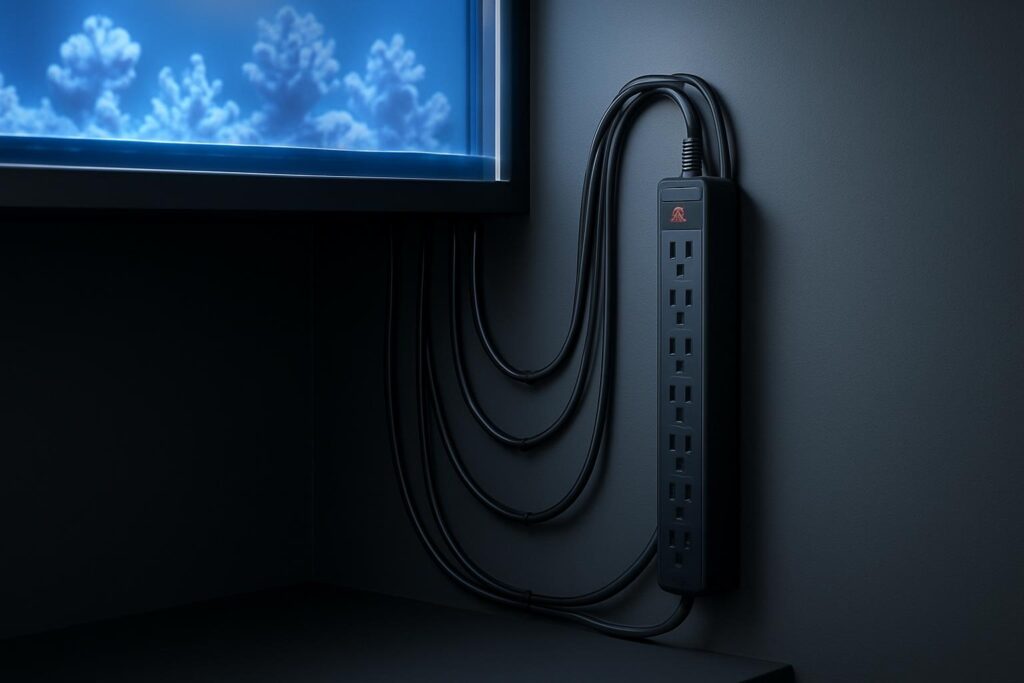
Salt creep, condensation, and drips can reach outlets. A suitable power strip helps create safer cable management and drip loops, mounts cleanly off the floor, and provides surge protection that absorbs spikes from storms and pump starts.
Daily tasks are faster when each device is manageable
Maintenance goes smoother when you can pause one pump without cutting power to heaters or filters. Timers and smart control keep your light cycle steady and automate routines that protect fish and corals from stress.
What to look for before you buy
Safety and build quality
Look for UL or ETL listing, robust housings, heavy-duty cords, and grounded three-prong plugs. A GFCI layer protects people in damp areas. Use a drip loop on every cord and mount the strip above potential splash zones.
Surge protection and noise filtering
Surge joule rating matters. For aquarium loads, aim for 1500 to 3000 joules or higher. Line noise filtering can reduce electrical interference that may cause controller glitches or light flicker.
Outlet layout and control
Wide spacing helps bulky power bricks. Individual switches, timer groups, or smart control add precision. Decide whether you need mechanical control you can see and feel, or app automation with energy monitoring.
Mounting and cord length
Keyhole slots, rack-mount tabs, and long cords help secure the strip high and dry. A 6 to 12 foot cord gives better routing to create proper drip loops.
The 5 best aquarium power strips for fish tank equipment
BN-LINK 8-Outlet Surge Protector with Timer, 4 Timed + 4 Always-On
This is a workhorse for aquarists who want a built-in programmable timer. Four timed outlets follow your schedule for lighting or refugium lights, while four always-on outlets keep life support running continuously. The onboard digital timer is simple to set, with battery backup to retain programs during short outages.
Why it helps: One unit covers both timed and constant equipment. Lights and fuge on timers, pumps and heaters always on. Less gear, cleaner wiring, consistent photoperiods.
Best for: Planted tanks, reef lights, refugium lighting, and anyone who wants a neat split between scheduled and continuous devices.
What to plug where: Timed outlets for primary lights or refugium. Always-on for return pump, skimmer, heater, ATO, and dosers you do not want interrupted.
Setup notes: Label each outlet. Mount vertically on the cabinet wall if possible to reduce the chance of drips entering outlets. Program the timer before plugging in sensitive devices.
Potential downsides: Mechanical relays click on switching. The timer controls outlets in groups, not individually. Not a substitute for GFCI protection.
Key strengths: Integrated timer control, surge protection, simple operation without needing Wi‑Fi or apps.
Kasa Smart Plug Power Strip HS300, 6 Smart Outlets with Energy Monitoring
For aquarists who prefer app automation, the HS300 offers six individually controllable outlets, scheduling, voice control support, and per-outlet energy monitoring. It is reliable, widely supported, and ideal for precise control of lighting and auxiliary gear.
Why it helps: Full per-outlet control without extra controllers. Build schedules, track wattage of pumps and heaters, and set smart safeguards that never shut off critical life support during routines.
Best for: Advanced users, travel peace of mind, tanks with multiple light channels or fans, and anyone who wants usage data to size heaters and pumps accurately.
What to plug where: Use smart outlets for lights, refugium, cabinet fans, and UV. Keep always-on critical gear on outlets you leave active with rules that prevent accidental shutdowns.
Setup notes: Create outlet groups labeled Lights, Fuge, Fans, and Life Support. Disable remote control on return pump and heater outlets if you are concerned about accidental taps. Maintain drip loops and mount high.
Potential downsides: Requires Wi‑Fi and an app. Not moisture-proof. Do not rely on smart rules in place of a GFCI or physical safety measures.
Key strengths: Individual outlet control, energy monitoring, reliable scheduling, clean status visibility from anywhere.
Tripp Lite Isobar 8 Outlet Surge Protector, ISOBAR8ULTRA
Isobar is a premium surge protector with robust metal housing and isolated filter banks. It is known for strong surge absorption and line noise filtering that can stabilize sensitive LED drivers and aquarium controllers.
Why it helps: High surge joule rating and electrical noise isolation reduce the chance of glitches or resets from pump startups or nearby appliances. The metal case is durable and mounts securely.
Best for: Reef tanks with controllers, multi-channel LED lights, and systems running multiple pumps that can induce interference.
What to plug where: Place lights and controllers on one filter bank and pumps on another to minimize cross-interference. Keep heaters and powerheads separated when possible.
Setup notes: Mount with keyhole slots on a vertical surface inside the stand. Use drip loops and avoid splash zones. Combine with a GFCI outlet or adapter for personnel protection.
Potential downsides: No individual switches or smart control. Metal housing is sturdy but can be heavier than plastic strips.
Key strengths: Outstanding surge and noise protection, durable build, long service life under continuous load.
ADJ Products PC-100A, 8-Switch Power Center
The PC-100A is a stage-grade power center many aquarists adopt for its eight front switches that control eight rear outlets. It is straightforward, tactile, and excellent for maintenance routines where you need to pause specific gear without hunting for plugs.
Why it helps: Instant, individual control at your fingertips. Pause return, skimmer, or wavemakers during feeding and water changes. Clear rocker switches make status unambiguous.
Best for: Sumps and stands where you perform frequent manual tasks and want easy hardware toggles.
What to plug where: Assign return, skimmer, ATO pump, powerheads, UV, cabinet lights, and reactors to labeled switches. Keep the heater on a steady outlet you will not flip absentmindedly.
Setup notes: Mount vertically on the inside door or a side panel. Label each switch. Use the master fuse or breaker as a safeguard but avoid exceeding the amp rating.
Potential downsides: No surge protection or timer. Add a surge protector upstream and ensure a GFCI-protected circuit.
Key strengths: Eight individual switches, reliable hardware, maintenance-friendly control that saves time every week.
Tripp Lite TLM812GF, 8-Outlet Safety Power Strip with GFCI
In damp locations, a GFCI adds a critical layer of protection. The TLM812GF integrates GFCI into the strip, cutting power rapidly if a ground fault is detected. It also provides multiple outlets and a long cord for clean routing.
Why it helps: Personnel protection in wet environments. A GFCI can prevent severe shock by tripping faster than a breaker when leakage occurs.
Best for: Stands near sumps, fish rooms, and racks with frequent splashes or condensation.
What to plug where: Life-support gear and any device in a damp area. You can still pair this with a separate surge protector upstream if you want higher surge joules, following manufacturer guidance and load limits.
Setup notes: Test the GFCI monthly using the built-in test and reset buttons. Mount above the sump waterline. Maintain generous drip loops.
Potential downsides: GFCI can nuisance-trip with some equipment if there is leakage current. Do not use to mask equipment faults; inspect and replace suspect devices.
Key strengths: Integrated GFCI, multiple outlets, safety-first design for damp locations.
How to build a safer, cleaner power setup
Plan your outlet map
List every device and assign it to an outlet before installation. Group always-on life support separately from anything you plan to switch or schedule. This prevents accidental shutoffs.
Mount high and manage drips
Mount power strips above the sump and away from splash paths. Create a drip loop on every cord so any water runs to the floor before the plug. Keep strips off the floor to avoid spills reaching outlets.
Add a GFCI layer
Use a GFCI outlet, a GFCI adapter, or a strip with built-in GFCI. Test monthly with the test button. This is for personal safety and complements surge protection, not a replacement for it.
Label everything
Use a label maker or painter’s tape to name outlets. Labeling makes feeding, water changes, and troubleshooting fast and mistake-free.
Mind your load
Add up the amperage of heaters, pumps, and lights. Stay well under the strip’s and circuit’s rating. High-watt heaters and multiple pumps can add up quickly. If in doubt, split loads across two circuits.
Keep salt creep under control
Wipe down cords and nearby surfaces during weekly maintenance. Salt deposits can bridge moisture and create leakage paths toward outlets.
Quick buying checkpoints
Joule rating and filtering
Target at least 1500 to 3000 joules of surge protection for tanks with multiple electronics. If you run advanced controllers and LED drivers, noise filtering like isolated banks is a plus.
Control style
Pick one control method and stay consistent. Mechanical timer strips are simple and robust. Smart strips offer app control and energy data. Physical switch centers excel for hands-on maintenance.
Outlet spacing
Bulky power bricks crowd standard strips. Wider spacing or rotating outlets prevent blocked sockets and messy daisy-chains.
Cord length and mounting
Long cords and mounting slots improve routing and safety. Keep all connections accessible without stretching or creating tight bends.
Putting it all together
Aquariums demand organized, safe power handling. The right strip keeps life support steady, lighting consistent, and maintenance easy. Use a timer-based strip like BN-LINK to automate photoperiods without apps. Choose Kasa HS300 for granular smart control and energy tracking. Step up to Tripp Lite Isobar when you want premium surge protection and noise filtering. Add an ADJ PC-100A when tactile switches will save time every week. Favor a GFCI-equipped strip like TLM812GF in damp spaces to prioritize safety. Combine these choices with careful mounting, drip loops, labeling, and monthly tests. Your fish, plants, and corals will benefit from stable, predictable operation day after day.
FAQ
Q: Do I need a GFCI for my aquarium power strip
A: Yes, a GFCI adds an essential safety layer in damp environments; use a GFCI outlet, a GFCI adapter, or a strip with built-in GFCI and test it monthly.
Q: How many surge protection joules should I aim for
A: For aquarium loads, target at least 1500 to 3000 joules, and consider additional noise filtering if you run controllers and advanced LED drivers.
Q: Should I put life support devices on smart or timed outlets
A: Keep return pumps and heaters on always-on outlets and reserve smart or timed control for lights, refugium lights, fans, and UV to avoid accidental shutoffs.
Q: Where should I mount a power strip in my stand
A: Mount high on a vertical surface away from splash zones, keep strips off the floor, and create drip loops on every cord before it reaches the outlet.
Q: Can I daisy-chain power strips
A: No, avoid daisy-chaining; instead, size a single quality strip properly or use separate strips on separate circuits while staying within rated loads.